

What Is an AIO Leak?
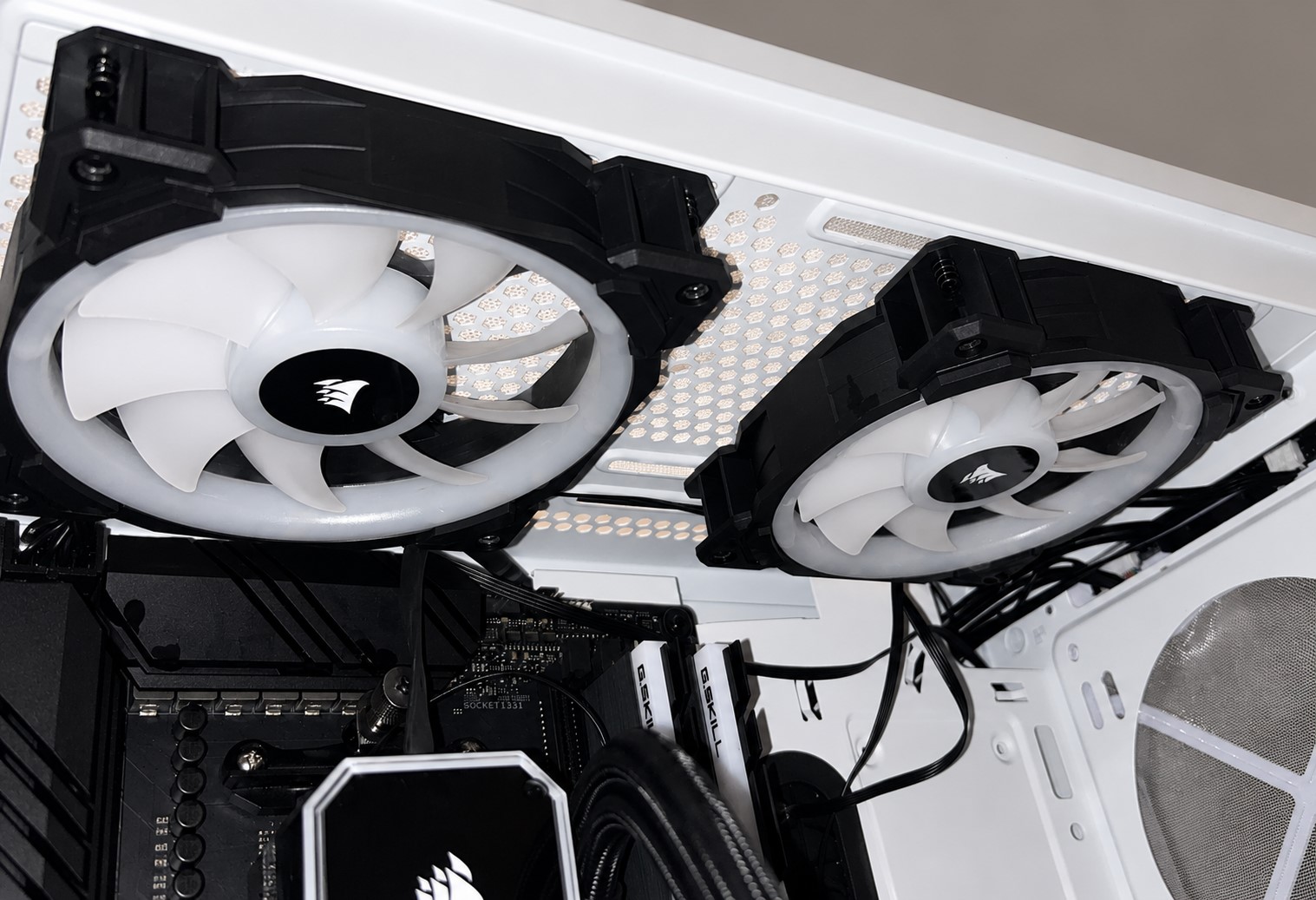
An aio leak happens when coolant escapes from an All-in-One liquid CPU cooler. An AIO cooler is a sealed cooling system used inside a computer to manage CPU temperature. It usually includes a pump block, tubes, radiator, fans and pre-filled coolant. Unlike a custom water-cooling loop, an AIO is designed to be installed without filling, draining or regular liquid maintenance.
Although modern AIO coolers are generally reliable, no liquid cooling system is completely risk-free. A leak can be worrying because the cooler sits close to expensive parts such as the motherboard, graphics card, power supply and storage drives. Even a small amount of liquid in the wrong place can cause electrical damage if the system is powered on.
What To Do Immediately After an AIO Leak
Shut Down the Computer
If you suspect an aio leak, turn off the computer immediately. Do not restart it to “test” whether it still works. Power and liquid are a dangerous combination for electronic parts.
Unplug the Power Cable
After shutting down, unplug the power supply from the wall. Press the power button once after unplugging to help discharge remaining power from the system.
Remove Affected Components Carefully
Open the case and inspect the area. If liquid has touched the graphics card, motherboard or power supply, remove the affected components only if you are comfortable doing so. Take clear photos before moving anything, as these may help with warranty claims.
Dry the System Properly
Use lint-free cloths to absorb visible liquid. Do not use a hairdryer on high heat, as this can damage components. Let the parts dry fully in a clean, safe place. In many cases, the system should remain powered off for at least 24 to 48 hours, depending on how much liquid was present.
Avoid Rushing the Process
The biggest mistake after an aio leak is turning the PC back on too soon. Even if the surface looks dry, moisture may remain under chips, slots and connectors.
Can an AIO Leak Damage Your PC?
Yes, an aio leak can damage a PC, especially if the system is powered while liquid is present. The motherboard and graphics card are the most exposed parts because they often sit directly below the CPU cooler and radiator. The power supply can also be at risk if liquid reaches it.
However, damage is not guaranteed. If the system is switched off quickly and cleaned properly, some components may survive. The result depends on the type of coolant, the amount of liquid, where it landed and whether the PC was powered on at the time.
Why Does an AIO Leak Happen?
Ageing Seals and Tubing
Over time, rubber seals, joints and tubing can weaken. Heat, pressure changes and long-term use can slowly affect the materials inside the cooler. Most AIO units are built to last for several years, but they are not designed to work forever. As the cooler gets older, the chance of pump failure, evaporation or leakage becomes higher.
Manufacturing Defects
Some leaks are caused by faults from the factory. A weak fitting, poor seal or damaged internal part may not be visible when the cooler is new. In rare cases, the problem only appears after the unit has been installed and exposed to heat and pressure.
Rough Installation
An AIO cooler can also leak if it is handled carelessly during installation. Pulling the tubes too hard, twisting them sharply or forcing the radiator into a tight space can place stress on the fittings. The tubing should curve naturally, without being bent at extreme angles.
Physical Damage
Radiators have thin metal fins and internal channels. If a screw is too long, it can puncture the radiator and cause a leak. This is one of the most common user-caused issues. Dropping the cooler, crushing the tubes or damaging the pump housing can also lead to coolant escape.
The Most Common Leak Points
The most likely areas for an aio leak are the tube connections, radiator edges, pump block and damaged radiator screw holes. These are the points where pressure, heat and movement are most likely to affect the cooler.
Warning Signs of an AIO Leak
Visible Moisture
The clearest sign is liquid inside the PC case. You may notice small droplets, damp patches or a shiny residue near the pump, tubes, radiator or components below the cooler. Coolant may not always look like plain water; it can feel slightly oily or leave marks after drying.
Unusual Smell
Some coolants have a mild chemical smell. If your computer suddenly gives off an unusual odour, especially near the radiator or pump block, it is worth checking carefully.
Rising CPU Temperatures
If coolant is leaking or the pump is failing, the CPU may become hotter than normal. Sudden temperature spikes, thermal throttling or unexpected shutdowns can suggest a cooling problem.
Strange Pump Noise
A healthy pump usually produces a steady low sound. Gurgling, grinding or loud rattling may indicate air inside the pump, low coolant level or internal failure.
Do Not Ignore Small Signs
A tiny leak can become a serious problem later. If you notice moisture, stains or unusual temperature behaviour, stop using the system until you inspect it properly.
How To Prevent an AIO Leak
Buy From a Reputable Brand
Choose an AIO cooler from a trusted manufacturer with a clear warranty policy. Cheap, unknown coolers may save money at first, but they can be risky if quality control is poor.
Check the Cooler Before Installation
Before installing, inspect the tubes, radiator and pump block. Look for cracks, wet spots, loose fittings or stains in the packaging. If anything looks suspicious, do not install the unit.
Use the Correct Screws
Always use the screws supplied with the cooler. Long screws can damage the radiator and cause leakage. If you are unsure, check the manual before tightening anything.
Avoid Extreme Tube Bending
The tubes should not be stretched, twisted or sharply folded. Plan the radiator position before mounting the cooler. A clean layout reduces stress on the fittings.
Inspect the Cooler Regularly
Check your system every few weeks, especially around the pump block and tube connections. A quick visual inspection can help you catch an aio leak before it becomes serious.
Replace Ageing Coolers
If your AIO cooler is many years old, noisy, running hot or outside warranty, replacing it may be safer than waiting for failure.
AIO Cooler vs Air Cooler: Which Is Safer?
Air coolers do not contain liquid, so they remove the risk of leakage. They are simple, durable and often easier to maintain. However, large air coolers can be bulky and may not suit every build.
AIO coolers are popular because they offer strong cooling performance, cleaner aesthetics and flexible radiator placement. They are especially useful for high-performance CPUs, gaming PCs and compact cases where airflow needs careful management.
The safer choice depends on your priorities. If you want the lowest maintenance and no liquid risk, choose an air cooler. If you want strong cooling and a modern look, a quality AIO cooler can still be a good option.
Warranty and AIO Leak Claims
If your cooler leaks, contact the manufacturer as soon as possible. Do not throw away the cooler, packaging or damaged parts. Take photos of the leak, the affected components and the installation. Some companies may replace the cooler and may review damage to other parts, but coverage depends on the brand, model, warranty terms and cause of failure.
Be honest when making a claim. If the radiator was punctured by the wrong screw or the cooler was modified, the warranty may not apply.
Final Thoughts
An aio leak is uncommon, but it is serious enough to understand before installing a liquid cooler. Most modern AIO coolers are safe when purchased from reliable brands and installed correctly. The key is prevention: inspect the cooler, avoid tube stress, use the right screws and keep an eye on temperatures.
If a leak does happen, shut down the PC immediately, unplug it, document everything and allow the components to dry fully before any testing. Acting quickly can reduce damage and improve the chance of a successful warranty claim. For most users, an AIO cooler remains a practical and attractive cooling solution, but careful installation and regular inspection are essential for long-term peace of mind.
FAQs About AIO Leak
1. How do I know if my AIO cooler is leaking?
Common signs include visible moisture inside the case, damp marks near the tubes or radiator, a strange chemical smell, rising CPU temperatures, gurgling pump noise or dried coolant residue around fittings.
2. How can I prevent an aio leak?
You can reduce the risk by buying a reliable AIO cooler, using the correct screws, avoiding sharp tube bends, checking fittings before installation and inspecting the cooler regularly for moisture, stains or unusual pump noise
3. Can an AIO leak damage my computer?
Yes, an aio leak can damage your computer if coolant reaches powered components such as the motherboard, graphics card or power supply. The safest action is to shut down the PC immediately, unplug it and allow all affected parts to dry fully before testing.
4. What should I do first if I notice an aio leak?
Turn off the computer straight away and unplug the power cable. Do not restart the system. Open the case, inspect the leak area, take photos for warranty proof and carefully dry any affected components.
5. Are AIO coolers likely to leak?
AIO coolers are generally safe and leaks are not common, especially when using a good-quality cooler from a reputable brand. However, leaks can still happen due to age, poor installation, damaged tubing, faulty seals or radiator punctures.
